


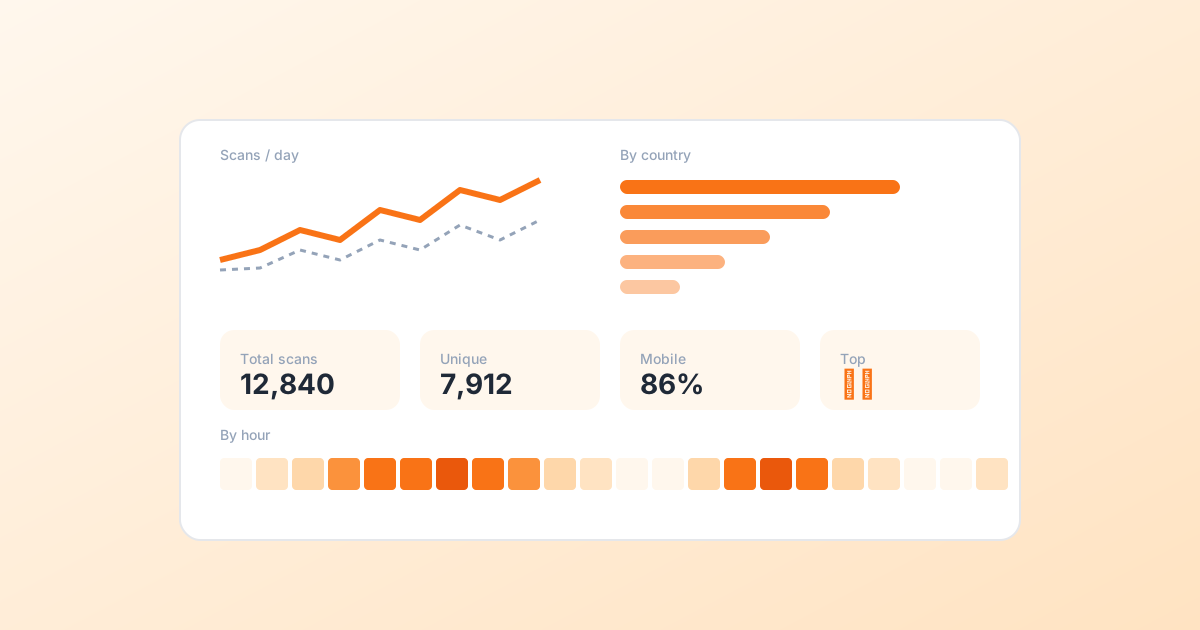
A scan counter on its own is decoration. The interesting question is who scanned, from where, and when. Each of those answers points to a thing to do.
Total scans vs unique scans
Total scans is the headline number. Every time a phone reads the code. Unique scans is the number of distinct visitors. We identify them by a salted hash of the IP, never the raw IP.
Compare the two. A high total but low unique ratio means a small audience is re-scanning a lot. That is what a menu or a Wi-Fi sign looks like. A high unique ratio means every scan is a new person. That is what a marketing piece looks like when it is working.
The four breakdowns worth caring about
By country
Surprises here are useful. A campaign you ran in Madrid showing scans from Lisbon? Time to localise. Most regions sitting at one or two scans? Lots of headroom to grow.
By device
Mostly mobile means your landing page absolutely must be mobile-first. Lots of desktop means people are scanning a code on a screen, or passing the link through chat. That is a share moment worth catching.
By browser and OS
Mostly useful for reproducing bugs. If Android Chrome converts four times better than iOS Safari, your iOS rendering probably needs a look.
By hour of day
The one most teams ignore. Scan times tell you when to send push notifications, when to schedule ads, when to staff support.
How qr-cow shows you this
Every dynamic QR you save gets its own dashboard. Time series, the four breakdowns above, a 24-cell hour-of-day heatmap, the last 20 scans with country and device. There is a portfolio view that rolls every code up together. See the analytics panel after you sign in.
Not sure if you need static or dynamic? Read this first.
One pattern worth trying this week
Pick the QR code with the lowest unique-rate. Probably a menu, sign, or Wi-Fi card. Add one CTA to its landing page that pushes for an email signup or a small purchase. Re-measure two weeks later. Repeat.

Comments
Log in to join the conversation.
Loading…